 Chord-A-Licious
Delicious chords for hot guitarists
Watch your chords unfold
Chord-A-Licious works out the chords of a song and lays them out as a play-along grid that follows the music. Slow it down, change the key, loop the tricky bits, print it or save it for later
After 30 days you can keep using the Free version, or subscribe to Pro for NZ$2 per month. An annual subscription will cost you just $20, you can cancel any time and get a refund for any unused portion of your subscription. You will receive a single reminder a week before your Pro subscription expires, and your annual subscription will not automatically renew.
A real song in the real app. The sound is off in this clip.Each bar lights up as the song reaches it.
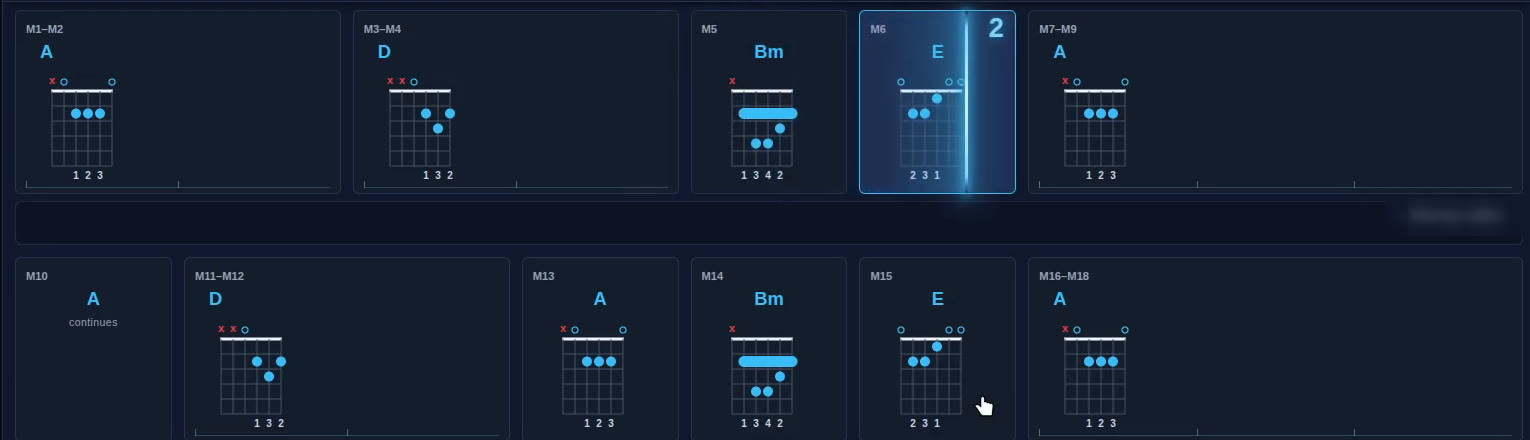
A chord shape for every bar
Every box shows the chord and how to finger it. Repeated bars are joined, and a bright line shows exactly where the song is.

Controls where you expect them
Pick your instrument, set a capo, flip to a left-handed view, jump to Busker Mode for the stage, or loop a few bars until they are smooth.
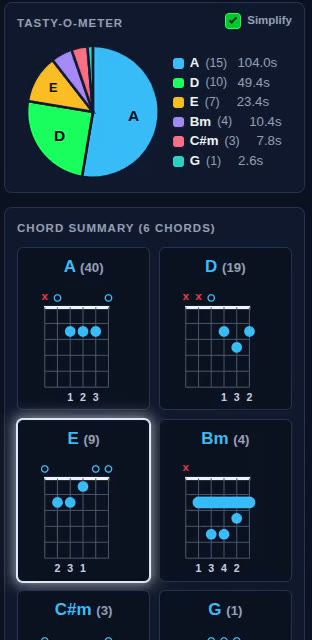
Use our Tasty-O-Meter to understand how complex your song is
The Tasty-O-Meter shows you the exact composition of the song, which chords are played and for how long, so you can gauge for yourself how challenging it will be to play
Four ways to bring in a song
Pick whichever suits what you have in front of you.
- Listen to a link
- Paste a YouTube or Spotify link. The song plays in the official player and the chords build on screen as you listen.
PRO · CHROMIUM BROWSERS ON A COMPUTER - Open an audio file
- Load an mp3 or other audio file from your own collection and have its chords worked out for you.
- Record yourself
- Play your own instrument into the microphone and see which chords you played, one after another.
PRO - Identify a song
- Hold your device near music that is playing. If the song has been through Chord-A-Licious before, its saved chords open straight away.
PRO
Then make the chords yours
Everything on the grid can be changed to suit how you play.

- Change the keyShift the chords up or down to suit your voice or your capo.

- Slow it downPractise at a tempo you can play, and use the count-in and metronome.

- The volume knob goes up to 11Because sometimes ten just is not enough.

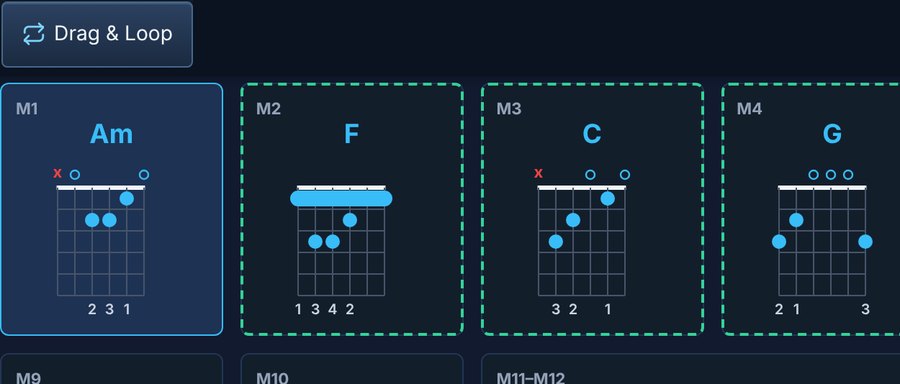
- Drag and loopHaving trouble with a particular part? Repeat just that part and play it as many times as you like, until you have it nailed down
- Fix a chordWe have built in comprehensive chord editing tools, change all or just some of them, adjust the phrasing, add your own chords, or just delete them entirely
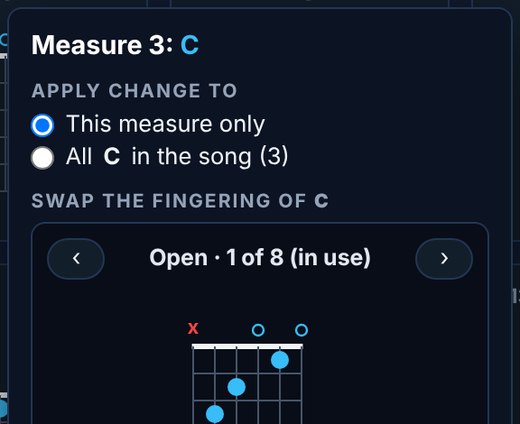
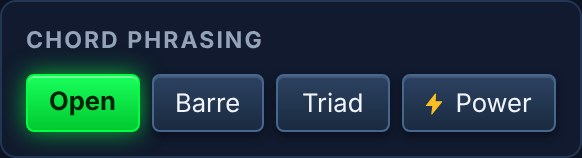
- Chord shapesOpen, barre, triad or power shapes, a capo, and a left-handed view.
- SimplifyBoil a song down to plain chords for an easier first go.
- LyricsLyrics sit under the bars and follow along. No lyric track is perfect, so click to sync: tap a lyric line at the moment it is sung and the lyrics line up with your version of the song.
- Busker modeA full-screen view for the stand or the stage.
- FavouritesKeep the songs you play, in categories of your own.

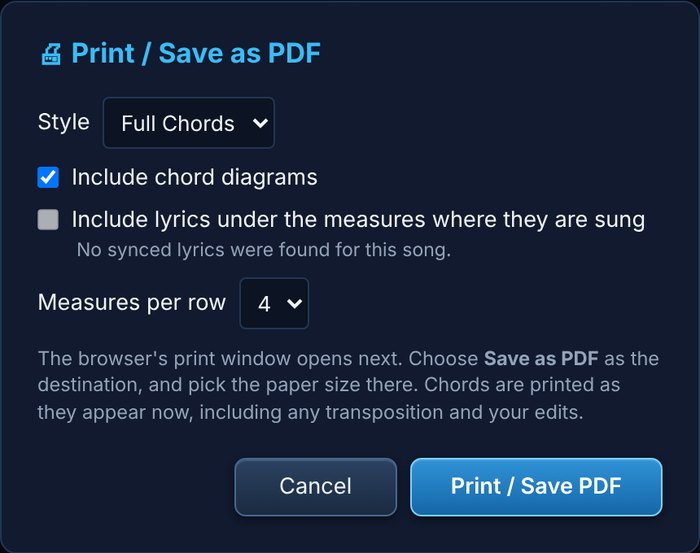
- PrintA full or condensed chord sheet, with or without lyrics.
Free and Pro
Every new account starts with 30 free days of Pro access. After that you choose: keep the Free version for as long as you like, or subscribe to Pro for only $2 NZD per month
| What you can do | Free | Pro |
|---|---|---|
| Music Streaming Links* | Not included | Included |
| Record yourself playing or identify a song on the radio | Not included | Included |
| Saved favourites | Up to 3 | Unlimited |
| Print or save as PDF | 3 a day | Unlimited |
| Instruments | Guitar | Guitar, ukulele, banjo, mandolin, bass, keys |
| Key change and tempo change | Not included | Included** |
| Capo | Not included | Included |
| Tunings | Standard only | Your choice of 10 different tunings |
| Chord shapes | Open and barre | Open, barre, triad, power |
| Simplify | Always on | Switch on or off |
| Edit chords in the grid | Up to 3 edits per song | Unlimited |
| Edit chords directly in the chord summary | One chord | Any chord |
| Slow a measure | One measure per song | Any measures |
| Drag and loop | Not included | Included |
| Metronome | Not included | Included |
| Lyric alignment | Not included | Included |
| Busker mode | Not included | Included |
| Minimise the bottom panel | Not included | Included |
| Volume | Goes up to 11 | Goes up to 11 |
* Only YouTube and Spotify links currently work with this feature.
** Key changes not available for song links.
Try everything in Pro for 30 days
Make a free account, confirm your email and start playing. We email you the day before the 30 days end, so there are no surprises.
Free for a year in New Zealand schools
Teachers and music departments can have a full year of Pro at no cost. Write to us with your school's name and we will send you a code to enter on your account page.
Privacy and music rights
Songs you listen to from a link are never recorded or stored. The sound from the tab is analysed with your permission and then discarded. Linked songs from specific streaming services will play in the official embedded players. A music file you load yourself is kept briefly so it can play back, and only kept longer if you save it to your favourites.
What is kept is the result: the chords, the tempo and the key. These may be shown to other people who play the same song, so it only needs working out once. Lyrics are fetched fresh each time and are not stored.
Identify a song uses your microphone for a few seconds to find a match. The sound is not kept.
If you own the rights to a song and want its saved chords removed, write to ivordavies@outlook.co.nz with a link to the song and we will remove it.